
Best dive computers for beginners:what to choose as your first one.
If you are looking for your first dive computer, this comparison covers six beginner-friendly recreational diving models: SCUBAPRO Aladin One Matrix, Mares Puck 4, Cressi Leonardo 2.0, Cressi Donatello, Suunto Zoop Novo and Aqualung i300C.
I would not simply choose the model with the most features. For a first dive computer, I would prioritise a clear display, simple controls, a practical battery setup and features that match the kind of diving you are actually going to do.
The SCUBAPRO Aladin One Matrix is the only one of these six that I have personally bought and used, for around 20 dives. I compare the other five based on their features and intended use, clearly separating first-hand experience from specification-based analysis.
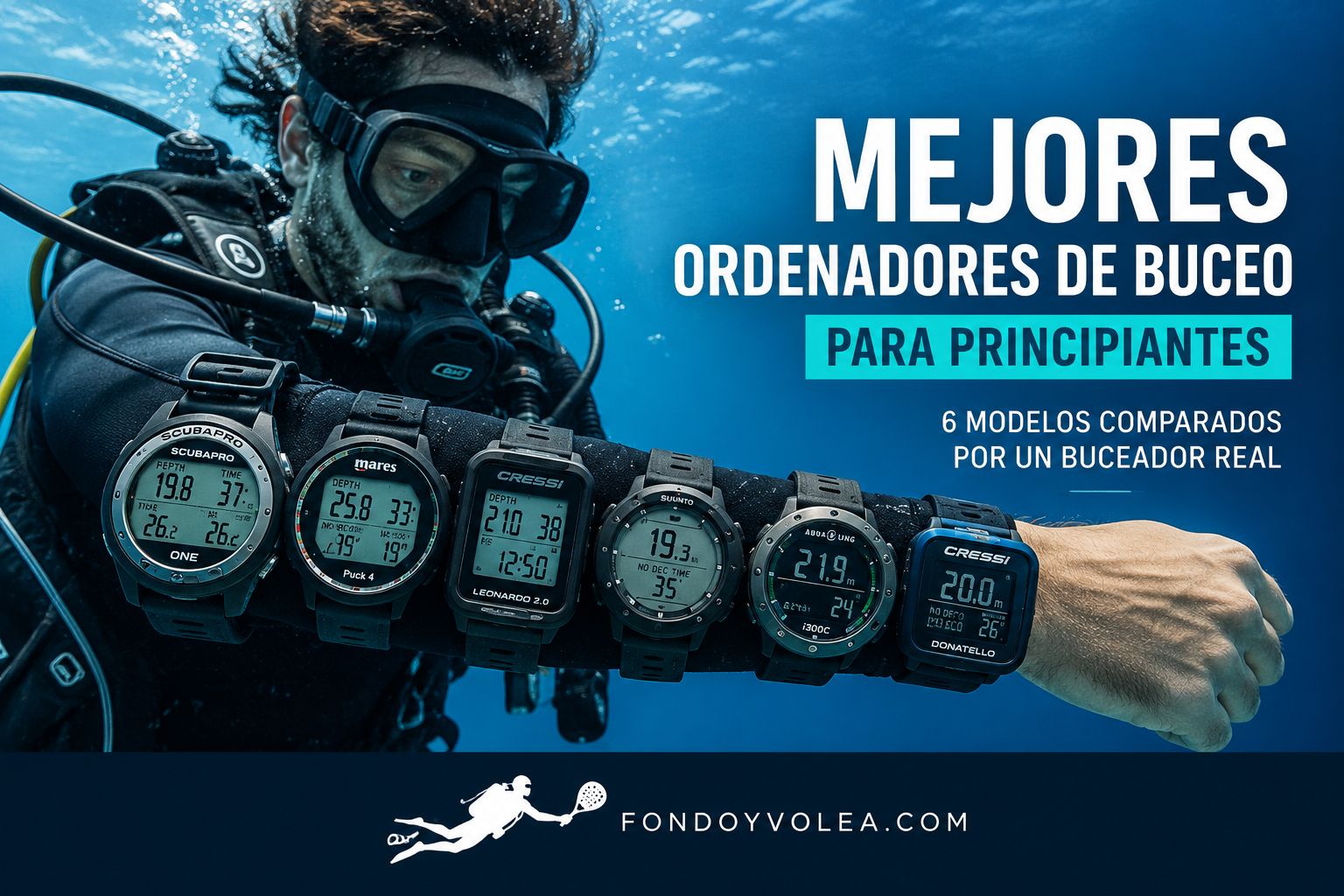
Which models have I personally tested?
I personally bought and used the SCUBAPRO Aladin One Matrix as my first dive computer for around 20 dives, mainly in Tenerife. My assessment of it therefore includes first-hand experience.
I have not personally tested the other five models. In those cases, I compare the features, dive modes, connectivity, battery setup and intended use included in this comparison.
I would rather clearly separate first-hand experience from a specification-based assessment than present something I have not personally tested as if I had.
My quick recommendation depending on what you want
Quick comparison: key differences
| Model | Best for | Gases | Connectivity | Battery | What sets it apart |
|---|---|---|---|---|---|
| SCUBAPRO Aladin One Matrix Tested by Fondo y Volea |
Simple, clear first dive computer | 1 gas · Air/Nitrox | Built-in Bluetooth | User-replaceable CR2450 | Two buttons, good readability and first-hand experience |
| Mares Puck 4 | Beginner who wants more room to progress | Up to 3 gases | Built-in Bluetooth | User-replaceable CR2450 | Configurable Bühlmann ZH-L16C and multi-gas support |
| Cressi Leonardo 2.0 | Anyone prioritising simplicity | 1 gas · Air/Nitrox | Optional Bluetooth | User-replaceable | Large display and one-button navigation |
| Cressi Donatello | Beginner who also wants freediving | 1 gas · Air/Nitrox | Optional Bluetooth | User-replaceable | Air, Nitrox, Gauge and Freedive modes |
| Suunto Zoop Novo | Anyone prioritising a large display | 1 gas · Air/Nitrox | USB | User-replaceable CR2450 | Large display and four operating modes |
| Aqualung i300C | Beginner who wants more versatility | Up to 3 gases Nitrox | Built-in Bluetooth | User-replaceable | Four modes and multi-gas capability |
This table is a quick way to compare the models. Before using any dive computer, you should become familiar with its menus, alarms, settings and the specific instructions in its manual.
SCUBAPRO Aladin One Matrix
The one I can assess from first-hand experience
It was my first major piece of diving gear. I wanted a computer that was simple, easy to read and something I could become familiar with from my first dives.
After around 20 dives, what I value most is the clear display, the backlight in low-light conditions, the two-button controls, Bluetooth and the ability to replace the CR2450 battery myself.
Its main limitation is that it handles only one gas. That has not been a problem for the recreational diving I currently do, but other models offer more room to grow if you want to move towards multi-gas setups.
first-hand use, clear display, Bluetooth, two buttons and a replaceable battery.
one gas only and less room to progress than multi-gas models.
Mares Puck 4
Simple on the outside, quite capable underneath
On paper, I find it especially interesting for someone who wants to start with a simple dive computer without outgrowing it too quickly.
It uses the Bühlmann ZH-L16C algorithm with configurable gradient factors, supports up to three gases, includes built-in Bluetooth and uses a user-replaceable CR2450 battery.
It is operated with a single button. That keeps the interface simple, although moving through lots of settings with one button may be slower than using several controls.
three gases, Bluetooth, configurable Bühlmann and a replaceable battery.
I have not personally tested it, and all navigation relies on one button.
Cressi Leonardo 2.0
For anyone who wants minimal menus and a large display
The Leonardo 2.0 is designed as a simple dive computer: a large display, one-button navigation and three operating modes: Air, Nitrox and Gauge.
It supports a single Nitrox mix, has a user-replaceable battery and offers optional Bluetooth connectivity for downloading and reviewing dive data.
I would choose it over a more complex model if my absolute priority were learning to use the computer with as few extra features as possible.
simplicity, a large display and one-button navigation.
one gas only and Bluetooth not built in as standard.
Cressi Donatello
An easy-to-use option that adds a freediving mode
The Donatello follows Cressi’s simple approach: a large display, one-button navigation and support for a single Nitrox mix.
Compared with the Leonardo 2.0, the main difference I would highlight is its four modes: Air, Nitrox, Gauge and Freedive. The battery is also replaceable, and Bluetooth can be added with an optional accessory.
That makes it especially logical for someone who wants a simple dive computer but also freedives or wants that mode available from the start.
simple interface, freediving mode and replaceable battery.
one gas only and Bluetooth via an optional accessory.
Suunto Zoop Novo
For anyone prioritising a large display and traditional controls
The Zoop Novo takes a different approach: it is a relatively large dive computer with a backlit display and several buttons for navigating its functions.
It offers Air, Nitrox, Gauge and Freedive modes, supports one Nitrox mix and uses a user-replaceable CR2450 battery.
For data transfer, it uses USB rather than built-in Bluetooth. That makes its connectivity less modern, although it does not affect its core function as a dive computer.
large display, backlight, several modes and a replaceable battery.
bulky format and USB data transfer.
Aqualung i300C
More versatility without jumping straight to a high-end model
The i300C combines a recreational-diving-focused interface with built-in Bluetooth, backlighting and automatic water activation.
It offers four modes: Air, Nitrox, Gauge and Freedive, and can work with up to three Nitrox mixes. The battery is also replaceable.
On paper, I see it as an interesting option for a beginner who wants more room to progress without buying a high-end dive computer from the start.
Bluetooth, four modes and up to three Nitrox gases.
it may offer more features than someone looking only for the basics actually needs.
How to choose your first dive computer
I would not start by asking which computer has the most features. I would start with which functions I will actually use and which model I am most likely to understand clearly underwater.
So, which one would I choose for each priority?
Beginner dive computer FAQ
What is the best dive computer for beginners?
There is no single best model for everyone. If simplicity is your priority, I would look at models such as the SCUBAPRO Aladin One Matrix or Cressi Leonardo 2.0. If you want more room to progress, the Mares Puck 4 or Aqualung i300C offer more features and multi-gas capability.
Is it worth buying a dive computer as a beginner?
In my case, yes. It was the first major item I bought because using the same dive computer every time helped me become familiar with its screens, alerts and operation.
Do I need Bluetooth as a beginner?
No. Its main advantage is convenience when downloading, logging and reviewing dive data on your phone.
Is Nitrox support important?
I think it is useful. Even if you start diving on air, Nitrox is common in recreational diving, and all six models in this comparison support it.
Do I need a multi-gas dive computer?
Not necessarily. For many early recreational dives, a single-gas computer can be enough. Multi-gas simply gives you more room if your diving develops.
Which one would I personally buy?
The SCUBAPRO Aladin One Matrix is the only one of these six I can assess from first-hand experience. If I were comparing an alternative today with more room to grow, the Mares Puck 4 would be one of the first models I would look at.
Which dive computer would I choose as a beginner?
I would prioritise clarity, ease of use and features that match the diving you are actually going to do.
The SCUBAPRO Aladin One Matrix is my reference point because I use it personally. On paper, the Mares Puck 4 is one of the most interesting alternatives if you want more room to progress. The Cressi Leonardo 2.0 focuses on simplicity; the Cressi Donatello adds a freediving mode; the Suunto Zoop Novo stands out for its display; and the Aqualung i300C combines Bluetooth with multi-gas capability.
I would not buy a dive computer simply because it has more features. I would buy the one I am most likely to understand properly and learn to use it well before diving with it.